






BC Poker Rooms: Lobby Layout and Choosing a Table
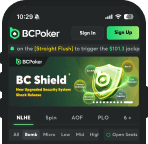
The BCPoker lobby brings cash games, tournaments and customizable settings together in one place. Within BC Poker rooms, users can compare poker formats, blind levels, seat counts and special rules before selecting a game. These details help clarify buy-in requirements and the conditions that affect each session. Review the stake levels and game rules to compare table structures and identify limits that fit your bankroll.
Key Takeaways
- Lobby filters sort games by format, blinds, seat count and event type.
- Buy-in figures are estimates based on 50 and 400 big blinds.
- Bomb Pot starts on the flop after forced contributions; insurance availability varies.
- Up to four games can run simultaneously, with built-in statistics and notes.
- Online gambling through overseas casinos is illegal in Japan.
Review the table structures, stake levels and game rules to understand the differences and assess the applicable restrictions before proceeding.
Finding a Seat Through Tabs and Filters
The lobby has three main categories: Cash Games, Tourney and Spin & Go. Each leads to a different format, making it easier to narrow the selection before reviewing individual games.
Within BC Poker rooms, filters sort available options by discipline, number of seats, blinds and event type. An upper navigation bar also lets users move between open games without repeatedly returning to the main lobby.
A practical approach is to select the intended stake first, narrow the results by seat count, then check for special modes such as Bomb Pot or straddle. This sequence helps identify differences in forced contributions and game structure before joining.

Stake Ladder Across Cash Tables
The cash-game range extends from 0.02/0.05 to 100/200. The compact ladder below presents selected levels, with entry figures calculated at 50 and 400 big blinds. These are mathematical references, not confirmed buy-in limits for every game.
| Blinds | Minimum buy-in | Maximum buy-in |
| 0.02/0.05 | $2.50 | $12.50 |
| 0.10/0.20 | $10 | $50 |
| 0.50/1 | $50 | $250 |
| 2/4 | $200 | $1,000 |
| 10/20 | $1,000 | $5,000 |
| 100/200 | $10,000 | $50,000 |
The rooms BC Poker cash-game options include different seating and forced-bet structures. Eight-seat games use antes, requiring contributions before cards are dealt, while six-seat games may offer a straddle that increases the pre-flop stake. Both affect the starting pot and subsequent decisions.
The published base rake is 5%. Information released for May 2026 described lower rake caps at selected stakes. The applicable cap depends on the game and limit, so the current rules should be checked rather than assuming the same maximum charge applies everywhere.
Bomb Pot Mode and All-In Insurance Settings
Bomb Pot is an optional format available for specific games. Players post a forced contribution, and the hand begins on the flop without a pre-flop betting round. This creates a larger starting pot and changes the decisions required from the first betting round.
All-in insurance is a separate feature. In eligible situations on the turn or river, its terms are calculated using the current odds. The feature is not available in fast tournament formats, so its availability depends on the selected game.

Running Up to Four Tables at the Same Time
The client for BC Poker rooms supports up to four simultaneous games on desktop and mobile. Tabs make it possible to switch between active sessions without repeatedly returning to the lobby.
Auto top-up can be configured separately for each game, allowing different preferred stack sizes. Bet-size presets reduce manual input, while faster animations shorten routine transitions. These settings affect the interface rather than the underlying poker rules.
Private Club Tables for Closed Groups
Private clubs provide separate spaces for groups that do not use the public lobby. Access is based on invitation or membership, and available seats are intended for club participants rather than an unrestricted pool of players.
Public games draw participants from the wider lobby, while club environments offer more control over access and group composition. Private access does not guarantee a particular skill level, game quality or legal status.
Display Options Inside BC Poker Rooms
Visual settings in BC Poker rooms allow users to adjust the interface to their preferences. Available options include:
- Table backgrounds and card-back designs.
- A four-colour deck for easier suit identification.
- Stack values displayed in chips or big blinds.
- Chip-stack animation effects.
- Enabling or disabling chat.
On desktop, these controls are generally found under Settings or the game configuration menu. On mobile, check the in-game settings or gear icon. Exact menu placement may differ by client version.
Software Limits and the Built-In Opponent Stats
The platform restricts third-party HUDs, trackers, solvers and tools that collect game data. Personal display settings do not override these restrictions.
Built-in features provide basic information about opponents. Clicking an avatar displays VPIP and PFR statistics for the previous 30 days. VPIP measures how often a player voluntarily puts money into a pot before the flop, while PFR records how often they raise before the flop.
Players can also make notes, review hand histories and access the hand-verification tab after a showdown. Statistics summarize past behaviour, notes preserve observations, and hand histories help users review individual decisions.